
Breeze Airways
Breeze Aviation Group, Inc.Travel & Local
4.81.77K Reviews
- Version
- 2.575.0
- Installs
- 500.00K
- Age Rating
- Everyone
Screenshots
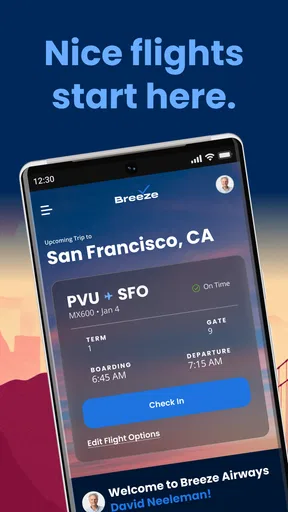
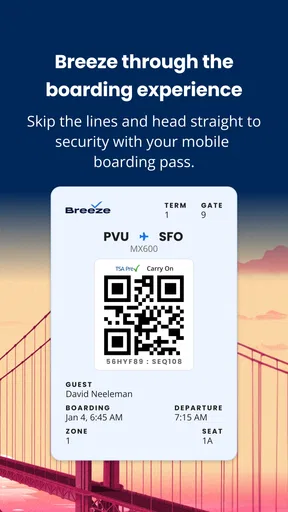
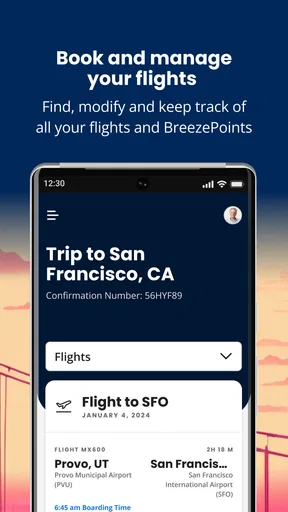
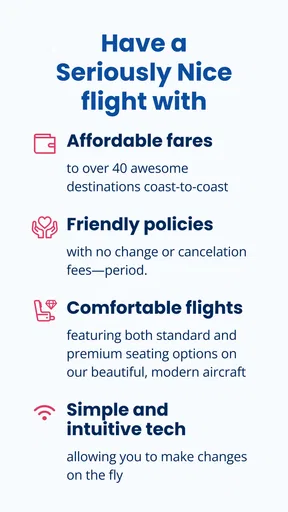
Our Review of Breeze Airways
 Analysis by Appyee
I found Breeze Airways most useful when I treated it as a travel companion for the airline’s own booking process rather than as a complete flight-planning tool. It is a free Travel & Local app from Breeze Aviation Group, Inc., built around arranging and managing journeys with Breeze. The experience is straightforward in principle, but its value depends heavily on having a working connection at the moments when travel decisions matter most.
That network dependence is not a minor detail. Searching for a trip, reviewing available choices, moving through booking screens, and checking current journey information all make more sense when the app can communicate with the airline’s systems. I would not install it expecting a self-contained travel organizer that replaces every other tool on my phone. I would install it if I were considering a Breeze flight and wanted the airline’s mobile route into the booking experience.
How Breeze Airways feels in real travel situations
I find Breeze Airways most useful when I know I’m considering the airline and want to move from a travel idea to an airline-specific booking task. In this section, I’ll focus on how that choice fits into everyday planning, including when I’d start elsewhere and what I’d keep ready before relying on the app.
Useful before the trip, especially when plans are still moving
My first use of an airline app is usually not at the airport. It is earlier, when I am comparing dates, checking whether a proposed trip is practical, and deciding whether I want to commit. Breeze Airways fits that stage well because it keeps the airline-specific task in one place instead of making me begin with a general travel site and then switch elsewhere to complete the purchase.
That distinction matters for travelers who already know they want to fly with Breeze. A broad travel-search app can be better for comparing many airlines at once, while this app is more focused. I would use a general search tool to understand the wider market, then turn to Breeze Airways when I wanted to examine the airline’s own options and continue with its booking flow.
The app’s store summary describes it as a Breeze Airways mobile booking app, and that is the right expectation. It is not trying to be a universal itinerary manager, a city guide, or a replacement for every airport service. Its strongest purpose is helping a Breeze customer interact with Breeze from a phone.
In an everyday scenario, imagine planning a short visit while commuting home. I could use the app during a connected part of the journey to check possible travel dates, consider the available choices, and decide whether the trip fits my schedule. If I leave the process halfway through, I would not assume that every screen or result will remain available without a connection. I would make the important decisions while the app is actively connected, then keep any essential travel details accessible through whatever other travel records I normally rely on.
Connectivity changes what the app can do for you
The most important practical lesson is simple: use Breeze Airways while you have a dependable connection, not as your only plan once connectivity becomes uncertain. Airports can be crowded, mobile service can vary between buildings, and travelers often move through places where a connection is slow or interrupted. An airline app may be convenient at home and feel much less comfortable when every screen depends on a live response.
I would therefore avoid leaving a booking step until the last possible moment. If I were already at the airport, I would connect to a reliable network before opening the app, give the relevant screens time to load, and avoid repeatedly closing and reopening it during a weak signal. That is not a criticism unique to Breeze; it is the normal trade-off of a cloud-connected airline app. Still, it affects how confidently I would use it under pressure.
There is also a difference between a slow connection and a failed transaction. A delayed screen may eventually finish, while a transaction that appears interrupted can leave the user unsure about what happened. My practical habit would be to pause before tapping repeatedly, check whether the app has caught up, and verify the resulting travel information before trying the same action again. That small bit of patience can prevent duplicated effort and unnecessary confusion.
Why the phone context is convenient
The mobile format makes sense for the moments when people actually travel. I am more likely to have my phone in my hand than a laptop when I am walking through a terminal, sitting in a rideshare, or making a quick decision away from home. Breeze Airways takes advantage of that context by putting the airline’s booking route in a device I already carry.
That convenience is strongest for travelers who prefer handling arrangements themselves. A phone-based process can be less intimidating than opening a desktop browser, switching between tabs, and trying to remember which page belongs to the airline. It also makes spontaneous checking easier: if my schedule changes during the day, I can open the app and review the airline’s available booking path without waiting until I return to a computer.
However, small screens also create friction. Comparing several possibilities is usually easier on a larger display, especially when I want to keep notes open or look at another travel source at the same time. I would use the phone for quick checks and the final mobile booking when that feels comfortable, but I would not hesitate to move to a browser for a complicated trip involving several travelers, unusual timing, or lots of side-by-side comparison.
This is one of the app’s key trade-offs: it is more immediate than a desktop workflow, but not automatically better for detailed planning. If I am traveling alone with a simple plan, the phone experience is a natural fit. If I am coordinating several people, I would slow down and review every selection carefully rather than relying on the speed of mobile convenience.
What to do when the connection fails
A realistic test of an airline app is not only how it behaves when everything loads instantly. It is how I respond when a screen stalls, a network changes, or I am unsure whether an action completed. Breeze Airways should be approached with a recovery routine rather than blind repetition.
If a page stops responding, I would first check whether the phone has actually lost connectivity or whether the app is simply taking time to receive a response. I would avoid tapping a purchase or confirmation control several times in quick succession. After reconnecting, I would reopen the relevant part of the app and look for a clear indication of the current state before continuing.
For an important journey, I would also keep the booking information I need in more than one practical place. That could mean retaining confirmation details in my normal travel records and noting the key timing separately. The point is not to assume the app is unreliable; it is to avoid making a single live connection responsible for my entire trip. A phone can be lost, a battery can run low, or a network can disappear, and a sensible traveler plans around those ordinary problems.
This is where Breeze Airways differs from a static document. A saved confirmation can be useful as a reference, but the app is designed for interaction with the airline rather than merely displaying a file. When I need to make a new choice or revisit a live booking action, I should expect connectivity to matter. When I am simply trying to remember the basic details of a trip, I prefer having a separate backup so I am not forced to depend on a loading screen.
Using it without wasting mobile data
I would not describe the app as something that needs constant attention throughout the day. Its most sensible data-conscious use is concentrated: connect when I need to search or manage a booking, complete the task, and close it rather than repeatedly refreshing out of habit. This is especially useful when I am traveling internationally or using a limited mobile plan.
Before a trip, I would do the heavier planning while connected to a trusted Wi-Fi network. That lets me take my time reviewing choices instead of making decisions during a rushed airport connection. At the same time, I would avoid assuming that a Wi-Fi connection is automatically safe or stable; a familiar, dependable network is preferable to an unknown public one for anything involving personal travel information.
On mobile data, I would open only the screens relevant to the immediate task. If I am checking a booking, there is little benefit in repeatedly navigating away and returning just to see whether something has changed. A focused workflow is easier on data, battery, and attention. It also reduces the chance that a weak connection will interrupt me halfway through an action.
Travelers who are especially careful with data should think of the app as an on-demand tool, not a background travel dashboard. I would check the phone’s own data controls if usage is a concern and make sure the device has enough battery before heading out. Those habits are more valuable than expecting the app to solve every connectivity problem for me.
Who will appreciate it most
I think Breeze Airways is best suited to people who are already considering Breeze and want a direct mobile route into the airline’s booking experience. It is also a good match for travelers who prefer self-service, use their phones for most travel tasks, and are comfortable completing important steps while connected.
It may be particularly convenient for a solo traveler arranging a relatively simple journey. In that situation, the app can reduce the need to move between airline pages and unrelated planning tools. It is also useful for someone who wants to check options away from a desk, provided that person understands the limits of a phone-sized interface and does not treat the app as an offline document wallet.
I would be more cautious recommending it as the only tool for a complicated group trip. Families or colleagues comparing several possible itineraries may find a larger screen and a broader travel service easier for the research phase. Likewise, someone who wants one app to combine flights from many airlines, hotel reservations, maps, and a complete offline itinerary may be happier with a general travel organizer, using Breeze Airways only when the airline-specific part becomes necessary.
What the public response suggests
The app has an average rating of 4.8 from around 16 thousand ratings, with around 1.6 thousand written reviews. It has also passed 500 thousand installs. Those figures suggest that the mobile experience has found a substantial audience and that many users consider it useful for its intended airline-focused purpose.
I would still treat a strong rating as context rather than a guarantee that every travel situation will feel effortless. Airline apps are judged during stressful moments, and a person’s experience can depend on the phone, connection, trip complexity, and what they are trying to accomplish. The rating makes me more willing to try the app, but it does not change my advice to keep a backup of important travel details.
Age, cost, and practical setup
Breeze Airways is free to install and carries an Everyone content rating, so the basic entry barrier is low. The app was released on May 21, 2021, and its current version is 2.458.1. It supports Android 7.0 and later, which makes it accessible to people using older Android devices rather than requiring a recent phone.
That older-system support is helpful, but I would still keep the operating system and the app itself reasonably current when possible. Travel is a poor time to discover that an outdated phone behaves differently from the device used during planning. I would install it before leaving, open it while connected, and become familiar with the booking flow before I need it urgently.
The free price is another reason it is easy to test without commitment. There is little downside to installing it if Breeze is part of my travel plans. The real question is not whether it costs anything to download, but whether its focused airline role matches what I need. Free does not make it a substitute for a broad comparison service or a complete backup plan.
My comparison with the usual alternatives
Compared with a general flight-search app, Breeze Airways is narrower but more direct. A general service is usually the better starting point when I am open to several airlines and want a wide comparison. The Breeze app makes more sense after I have decided that Breeze is relevant and want to continue through the airline’s own mobile experience.
Compared with using a mobile browser, a dedicated app can feel more natural for repeated airline tasks because it keeps the experience in one installed place. The browser remains a useful alternative when I am on a computer, need a larger view, or do not want another app on my phone. I would choose between them based on the complexity of the trip and the quality of the connection, not out of loyalty to one format.
Compared with a digital wallet or a saved document, Breeze Airways offers a more active relationship with the airline, while a saved record is better as a fallback reference. I would not make those tools compete. The most dependable setup is to use the app for connected airline tasks and retain essential trip information separately for moments when the app cannot be reached.
My final view on connected travel
After looking at the way it fits into real travel, I see Breeze Airways as a focused and worthwhile app for Breeze passengers, especially those who like arranging trips from a phone. Its free access, broad Android compatibility, and strong public rating make it easy to try, while the developer’s airline-specific focus keeps the purpose clear.
My recommendation comes with one condition: plan around connectivity. Use it before departure when the network is reliable, avoid rushing through a stalled transaction, and keep important travel details available through a separate backup. That approach turns the app from something I might depend on blindly into a practical part of a larger travel routine.
My verdict: I would recommend Breeze Airways to travelers who want a direct mobile booking experience with Breeze and do not need a universal travel planner. I would skip making it my only travel tool if I needed broad airline comparison, detailed group planning, or dependable access in places where a live connection may not be available. Used for the job it is designed to handle, it is convenient; used as an all-purpose offline travel solution, it is the wrong fit.
Privacy and Permissions
See what permissions an app requests and how it handles your data.
- Location
- approximate location (network-based), precise location (GPS and network-based)
- Photos/Media/Files
- read the contents of your USB storage, modify or delete the contents of your USB storage
- Storage
- read the contents of your USB storage, modify or delete the contents of your USB storage
- Camera
- take pictures and videos
- Other
- view network connections, full network access, run at startup, control vibration, prevent device from sleeping
Verdict
Strengths of Breeze Airways
- Low fares can make select routes very affordable.
- The app makes booking and managing trips straightforward.
- Mobile boarding passes reduce the need for printed documents.
- Fare options are presented clearly during the booking process.
- Breeze offers convenient nonstop service on select underserved routes.
Limitations of Breeze Airways
- The route network is limited compared with major U.S. airlines.
- Flight schedules may be infrequent on some destinations.
- Extra charges can apply for bags, seats, and other add-ons.
- Irregular operations may be harder to manage with fewer alternatives.
- Customer support options and response times can vary.
Similar Picks in This Category
View All
Google Maps
Google LLC3.4

Google Maps Go
Google LLC4.1

Booking.com: Hotels & Travel
Booking.com Hotels & Vacation Rentals4.8

Google Earth
Google LLC3.8

Skyscanner Flights Hotels Cars
Skyscanner Ltd4.8

trivago: Compare hotel prices
trivago N.V.4.4
Frequently Asked Questions
What is Breeze Airways, and what does the app allow me to do?
Breeze Airways is the official mobile app for booking and managing flights operated by Breeze, a U.S. airline focused on convenient service between select cities. After installing the app, you can search routes, compare available fares, purchase tickets, review your itinerary, check in for eligible flights, access boarding information, and receive travel updates. The available features may vary depending on your route, booking type, and device.
Can I book a Breeze Airways flight directly through the app?
Yes, the Breeze Airways app is designed to let travelers search for flights and complete bookings from a mobile device. You can enter your departure and arrival airports, select travel dates, review available flight options, and choose additional services such as bags, seats, or other fare-related extras when offered. Before paying, carefully check the total price because optional services and fare conditions can affect the final cost.
Can I check in and obtain my boarding pass using the Breeze Airways app?
For eligible reservations, the app can help you check in before departure and access your mobile boarding pass. You may need to provide booking details or sign in to the account connected with your reservation. Check-in availability, required documents, and boarding-pass options can depend on the itinerary, airport, passenger information, and current airline procedures. It is still wise to arrive with enough time for baggage drop and security.
Does the Breeze Airways app show flight status and travel notifications?
The app can provide useful information about your reservation and, where supported, updates related to flight status, departure times, gate details, and other travel changes. Notifications may require permission on your phone and an active internet connection. Because airline information can change quickly, passengers should also verify important updates through airport displays or Breeze customer support, particularly during severe weather, delays, or operational disruptions.
Is the Breeze Airways app free, and are there any important limitations?
Downloading the Breeze Airways app is generally free, although booking flights and purchasing optional travel services involve charges. The app requires a compatible Android or iOS device and an internet connection for many functions. Some features may not be available for every flight or airport, and app information should not be treated as a replacement for checking fare rules, baggage policies, identification requirements, cancellation conditions, and other official terms before traveling.
